Automated Image Generation
Certificates in bulk, ID cards, tickets, Eid greetings, or a fully generated report built over a template, one capability behind all of it, and the story of outgrowing Photoshop and Illustrator scripting for a system built around Figma instead.
 Figma
Figma
 Google Sheets
 Illustrator
 Photoshop
Automated image generation sounds like a narrow, single-purpose trick, but it keeps showing up everywhere, certificates in bulk, ID cards, event tickets, Eid greeting cards, or a fully generated report built on top of a template someone already designed. Wherever the design stays fixed and only the data underneath it changes, this is the same underlying problem.
I first solved it with Photoshop and Illustrator's own scripting, and for a while that was genuinely the right call, fast to set up, and good enough for a first version. It's also the tool that generated the cards behind the Eid Card Mail Automation project. But it had a ceiling, and eventually I hit it hard enough that I rebuilt the whole approach around Figma instead, which is what I still use for this today.
The Problem
Photoshop and Illustrator scripting is reliable for exactly one thing, swapping a name and swapping an image. You can technically script a shape's colour too, but keeping that manageable across dozens of variants stops being worth the effort fairly quickly.
The real ceiling was layout that depends on the data itself. A lot of certificate and card designs sit a decorative shape right beside a name, and a name is never the same width twice. A script that places that shape at a fixed position gets it right for one name length and wrong for almost every other one, either the shape overlaps the text, or it sits too far away with an awkward gap, and there's no version of "fixed position" that solves both at once.
The same ceiling shows up again in reports. Say a template needs to show a value, 70%, as an actual bar in a bar chart, not just as printed text. That means a data value has to drive a visual property, a bar's height or fill, not just replace a string, and that's simply not something image-editor scripting is built to express.
The Approach
All of it turned out to be solvable with one tool, Figma, used for something well outside what it's usually reached for. Two of its features did almost all of the work.
- Auto layout, a shape placed in the same auto-layout row as a text node doesn't sit at a fixed coordinate, it hugs the text and repositions itself the moment the text's actual rendered width changes
- Variables, text, and just as importantly numeric properties like a bar's width or fill, can be bound to a value instead of hand-set, so a data value can genuinely drive what the design looks like
Wire those to a Google Sheet acting as the data source, one row per certificate, per card, per report, and the design itself becomes the template every row gets rendered through.
 The actual template, tokens in place of real data, ready for a Sheet to drive every row through it.
We put this to work generating certificates in bulk for the BRAC University Computer Club (BUCC). Their certificate design placed a triangle directly beside the recipient's name, the exact overlap-or-gap problem above, so the design went into Figma with that triangle sitting in an auto-layout row next to the name text, and the name itself came from a Google Sheet with one row per recipient. Every certificate generated with the triangle sitting correctly beside the name, short or long, without a single manual nudge.
 A short name, "Ahmed Awsaf", triangles sitting right against the text.
 A much longer name, "Md. Ann-Am Akbar Saad", same template, same tight fit.
Once every certificate existed as its own file, delivery reused a system I'd already built, the same mail automation tool from the Eid card project sent each recipient their own certificate automatically, keyed off the same sheet the design had just been generated from.
The one piece outside the image-generation system itself was a certificate validation site for
BUCC, so anyone could confirm a certificate was genuine. It runs at effectively zero hosting
cost by serving the certificate images straight out of Google Drive, from the outside there's
no way to tell that's where they're coming from. It's live at
certificate.bracucc.org,
code BUCC25BBP329NOU pulls up a real one, though the validation site is really a
footnote to this project, the generation system behind it is the main story.
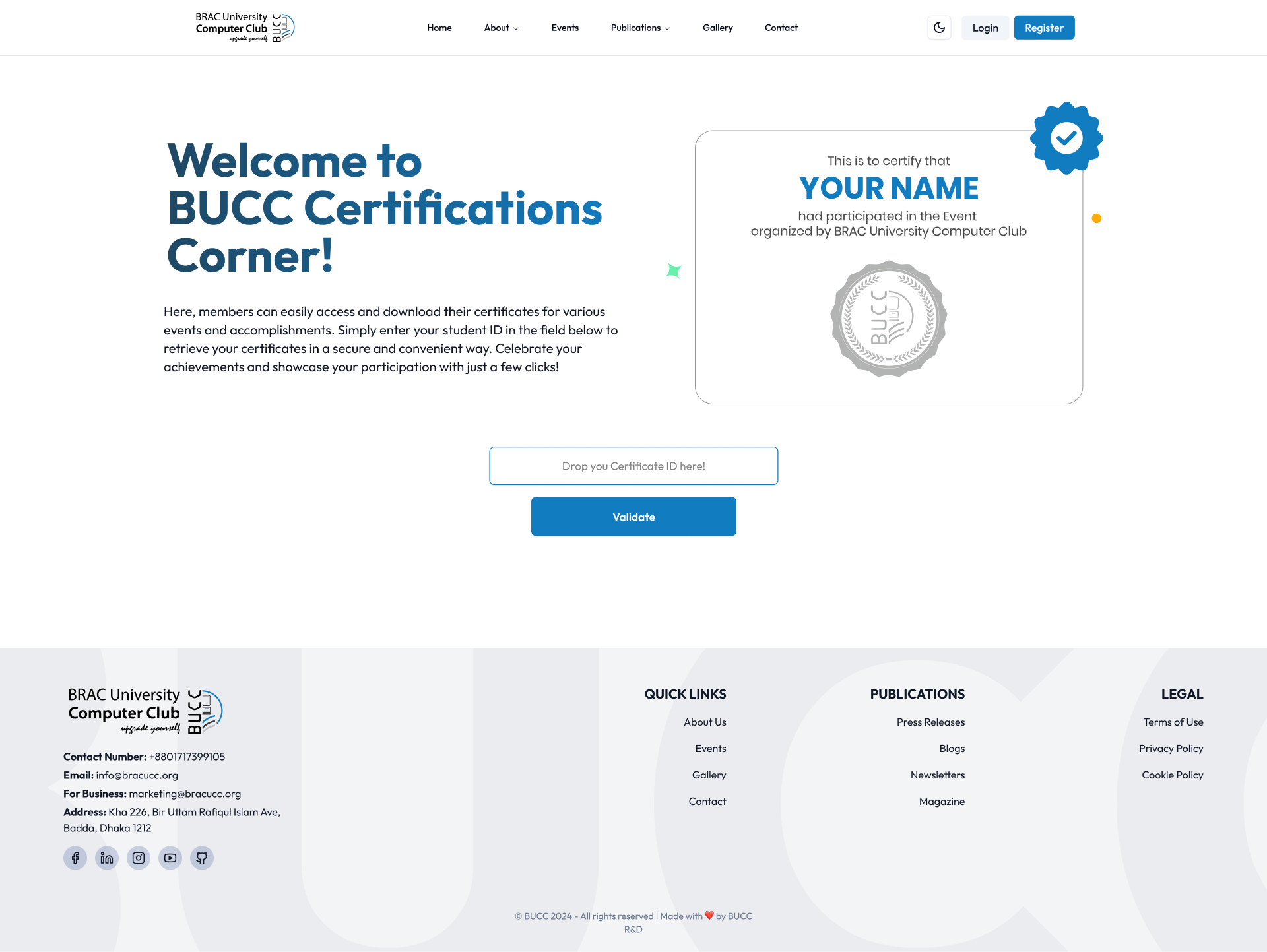 The validation site's landing page, a footnote next to the generation system, but live at certificate.bracucc.org.
The Outcome
- Layout that adapts to the data, a shape beside a name repositions itself based on that name's real width, the overlap-or-gap problem is simply gone
- Data can drive the visual, not just the text, a value like 70% can resize or fill an actual bar in a report template, not only replace a printed number
- One system, many outputs, certificates, ID cards, tickets, Eid greetings and data-driven reports all run through the same Figma-and-Sheet approach, instead of a separate one-off script per use case
- End to end for BUCC, certificates generated in bulk, delivered automatically by the existing mail tool, and verifiable on a free, Drive-hosted validation site
What I'd Do Differently
If I started this today, I'd have called time on Photoshop and Illustrator scripting sooner. I spent real effort trying to make fixed-position scripting handle text-width-aware layout before accepting that the problem was never about image editing, it was a layout problem, and Figma's auto layout already solved it natively. Recognising that earlier would have saved months, not just a rebuild.